


Live production for Zoom and Teams

Make every meeting a show worth joining.

Engage Studio turns your camera into a live studio. Your audience sits around you on screen, answers polls, lands on a globe and sees their words on air. You run it all from one console.

Every frame on this page was rendered live, with 20 people in the room.
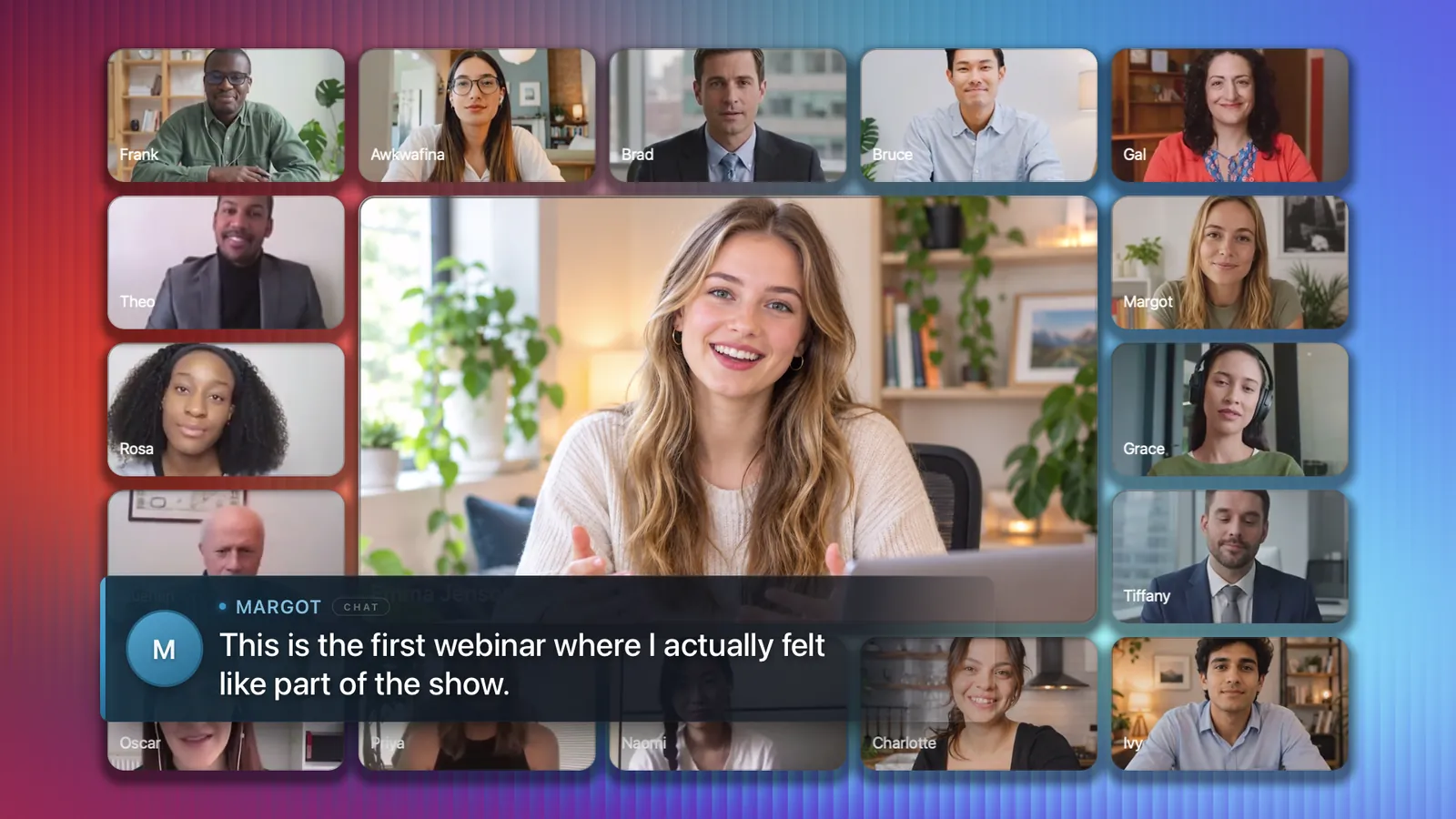
A presenter in the centre of the frame with twenty attendees arranged around her, and an attendee's chat message shown as a lower third
Live Around
Cameras on stage 20 of 20
Live poll · 0 answers
Chat · Where are you from?
    24Scenes: 12 built in, 12 of your own
    8Ways to seat the room in 3D
    1080pBroadcast output at 30 fps
    0Downloads for your attendees
    01 The problem

    You made the offer. Then came the silence.

    Your content is not the problem. A grid of muted tiles and a shared screen is. People lean in when they can see themselves in the room and feel the room react.

    • Attention leaves quietlyOne-way delivery loses the room within minutes, and cameras go dark one by one.
    • A gallery is not an audienceTwenty equal tiles give nobody a reason to speak, and nothing a reason to remember.
    • Screen share hides youThe moment your slides go up, you shrink to a thumbnail and the energy goes with you.
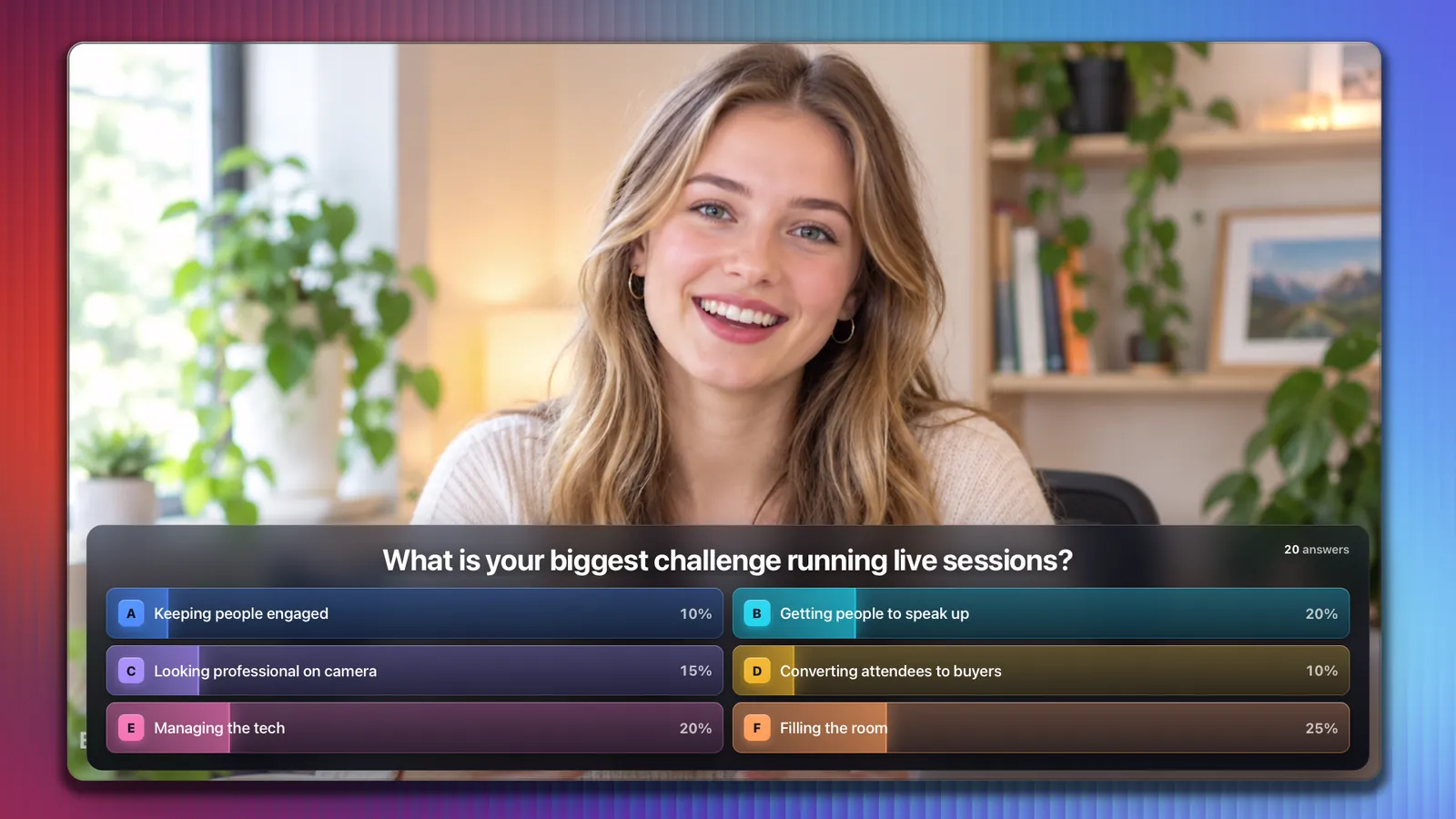
    Try it 0 answers

    What is your biggest challenge running live sessions?

    Pick oneThis is how a poll feels on air
    A live poll with six answers building over the presenter's shot
    Polls and quizzes

    Ask a question. Watch the room answer.

    Attendees reply in the Zoom chat. Results build on screen as the answers arrive, and a quiz puts the first correct answer on air with a trophy.
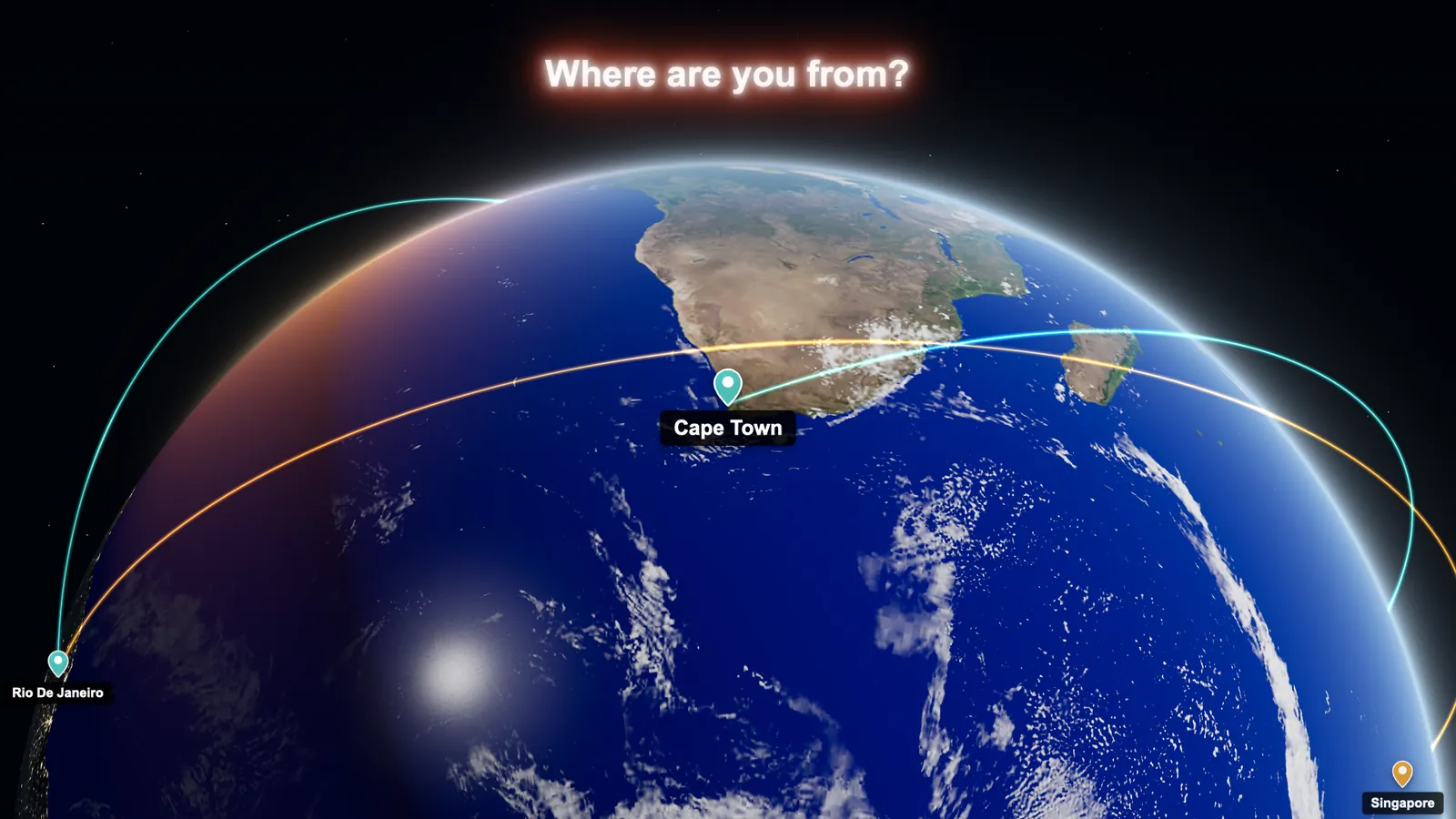
    A 3D globe with pins in Cape Town, Rio de Janeiro and Singapore joined by arcs
    Where are you from

    Your whole audience on one globe.

    Every city typed in chat lands as a pin, and the globe flies from one to the next. The room sees how far it reaches.
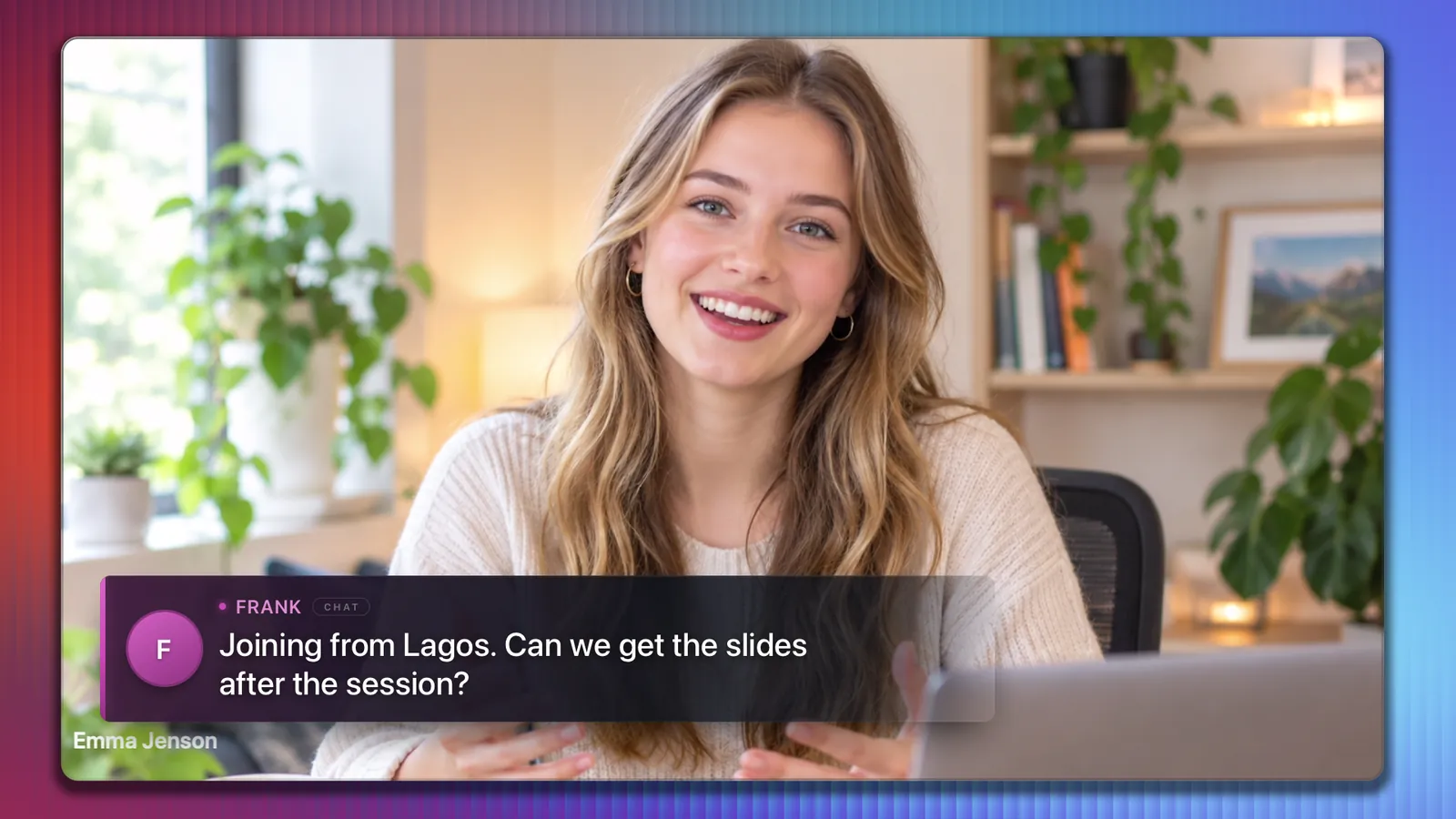
    An attendee's chat question shown as a lower third over the presenter
    Chat on air

    Put your audience on screen.

    One click turns a chat message into a broadcast lower third with the sender's name. Answering a question becomes a moment for everyone.
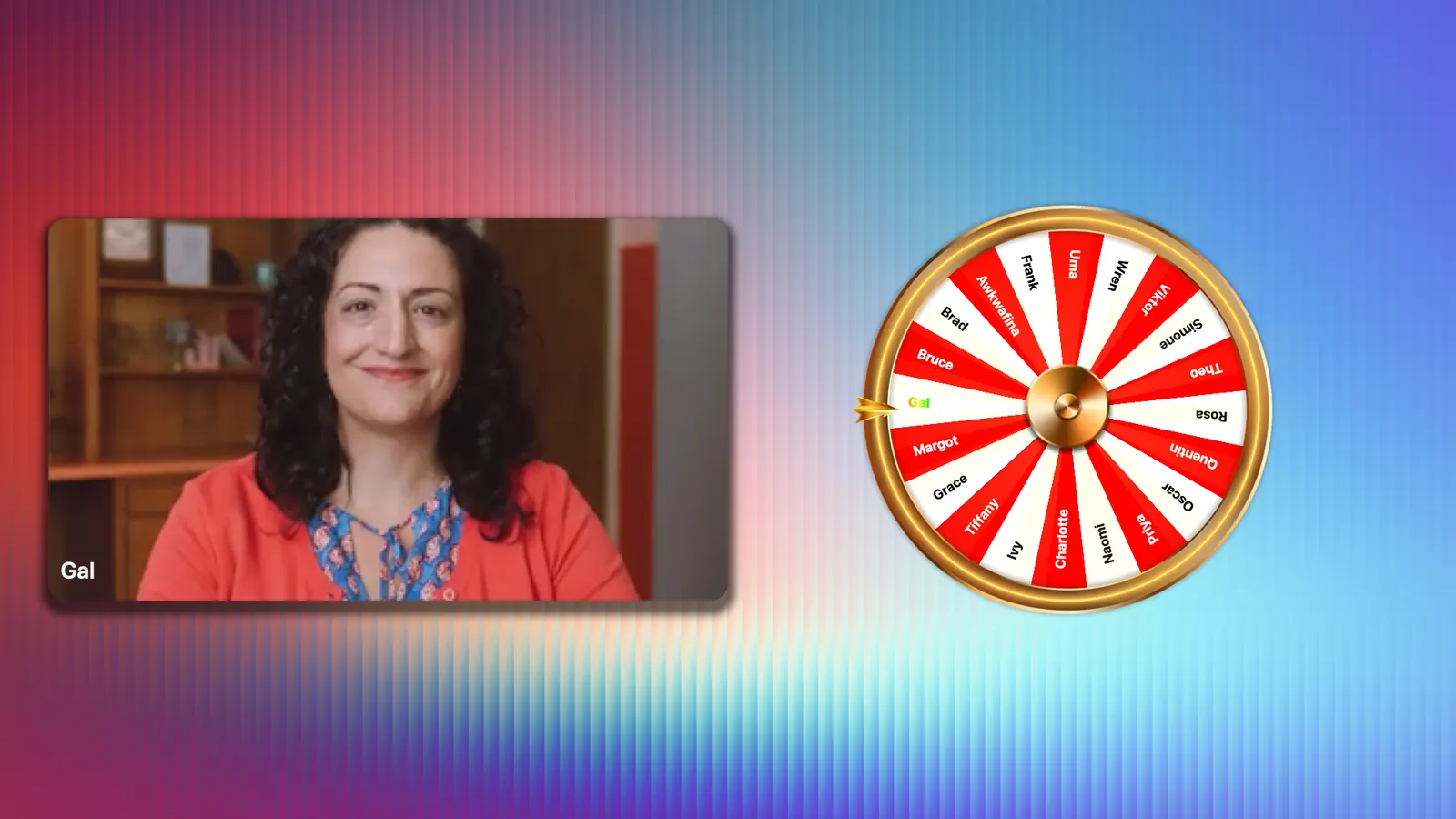
    A name wheel has stopped on Gal, whose camera appears beside it
    Name wheel

    Spin for a winner.

    The wheel is built from the people in the room. It spins, lands and brings the winner's camera on stage.
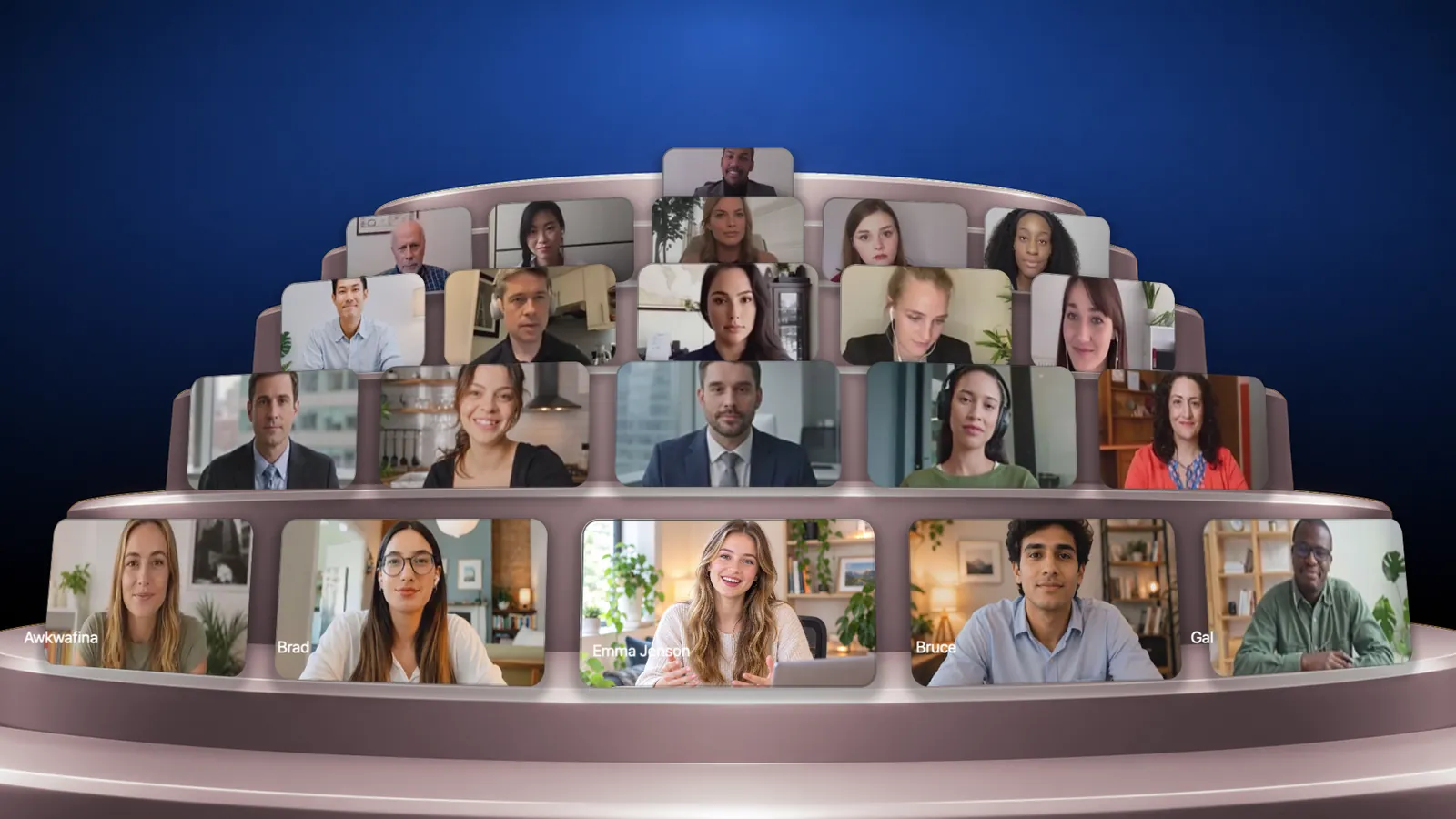
    Twenty attendees seated in curved rows like an auditorium
    Rooms in 3D

    Seat everyone in the room.

    Theater, a video wall, a tunnel and a turntable. Your attendees become an audience you can see, arranged around you.
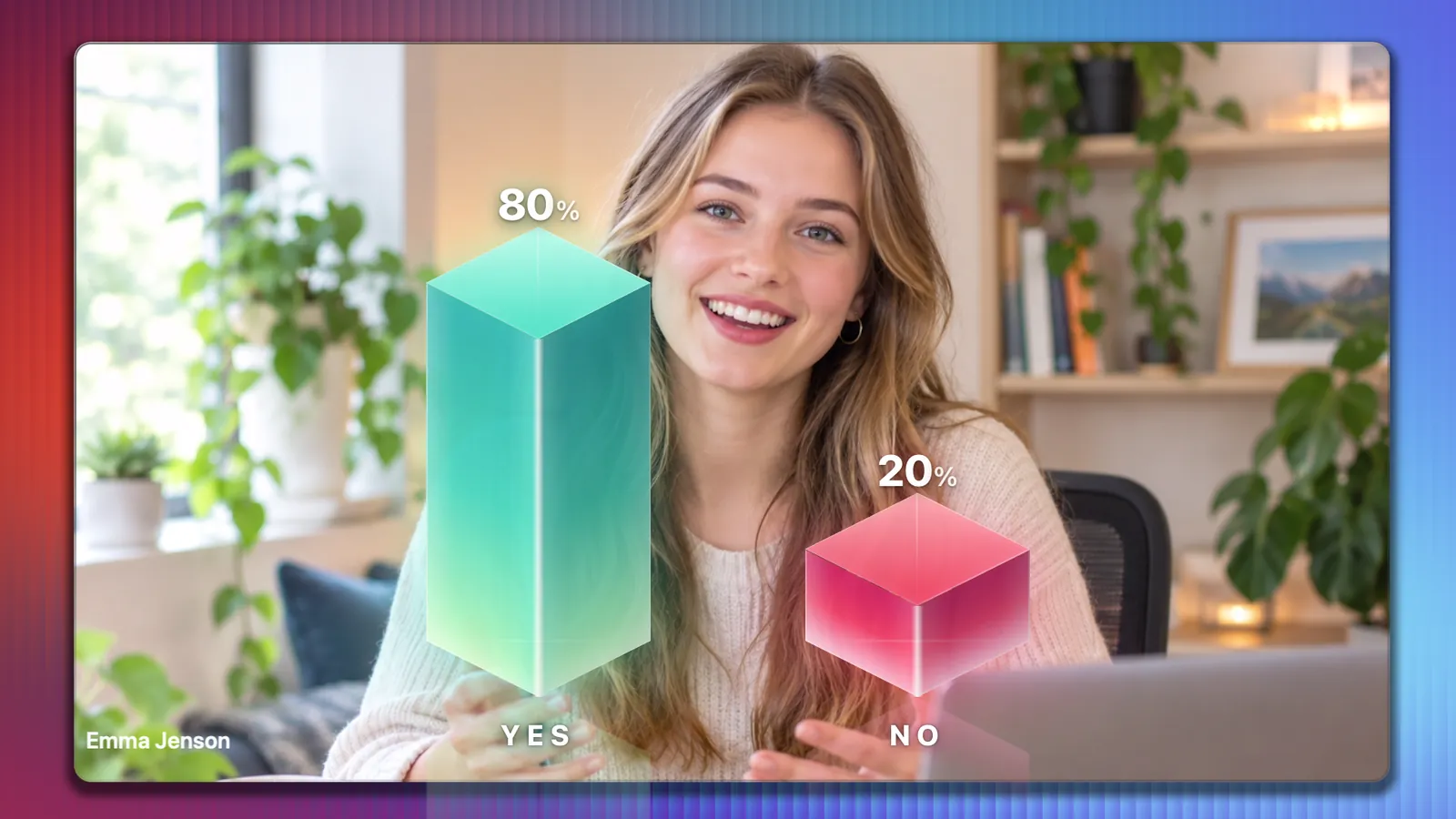
    Yes and no votes shown as glowing 3D bars, eighty percent yes
    Yes or no

    Take the temperature in seconds.

    A yes or no question rises as glowing 3D bars over your shot while the votes come in.
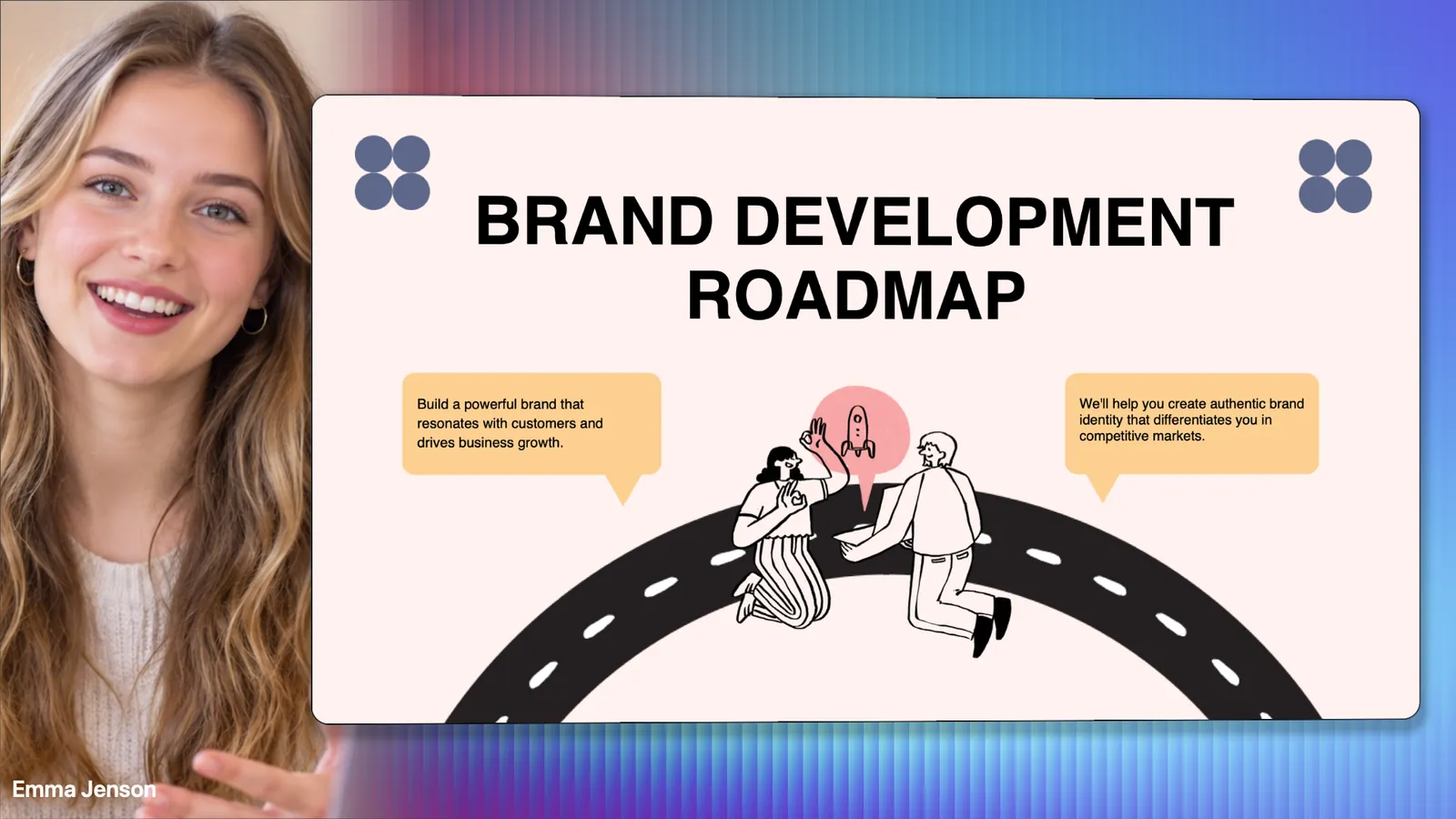
    The presenter in a column on the left with a slide filling the rest of the frame
    Slides on stage

    Present without disappearing.

    Your deck sits beside you on stage. PowerPoint, Keynote or PDF, stepped from the console, with you still in the shot.

    03 Scenes

    One press changes the whole show.

    These are the buttons you press during a show. Try them. Every picture is a real frame from Engage Studio with twenty people in a live Zoom meeting.
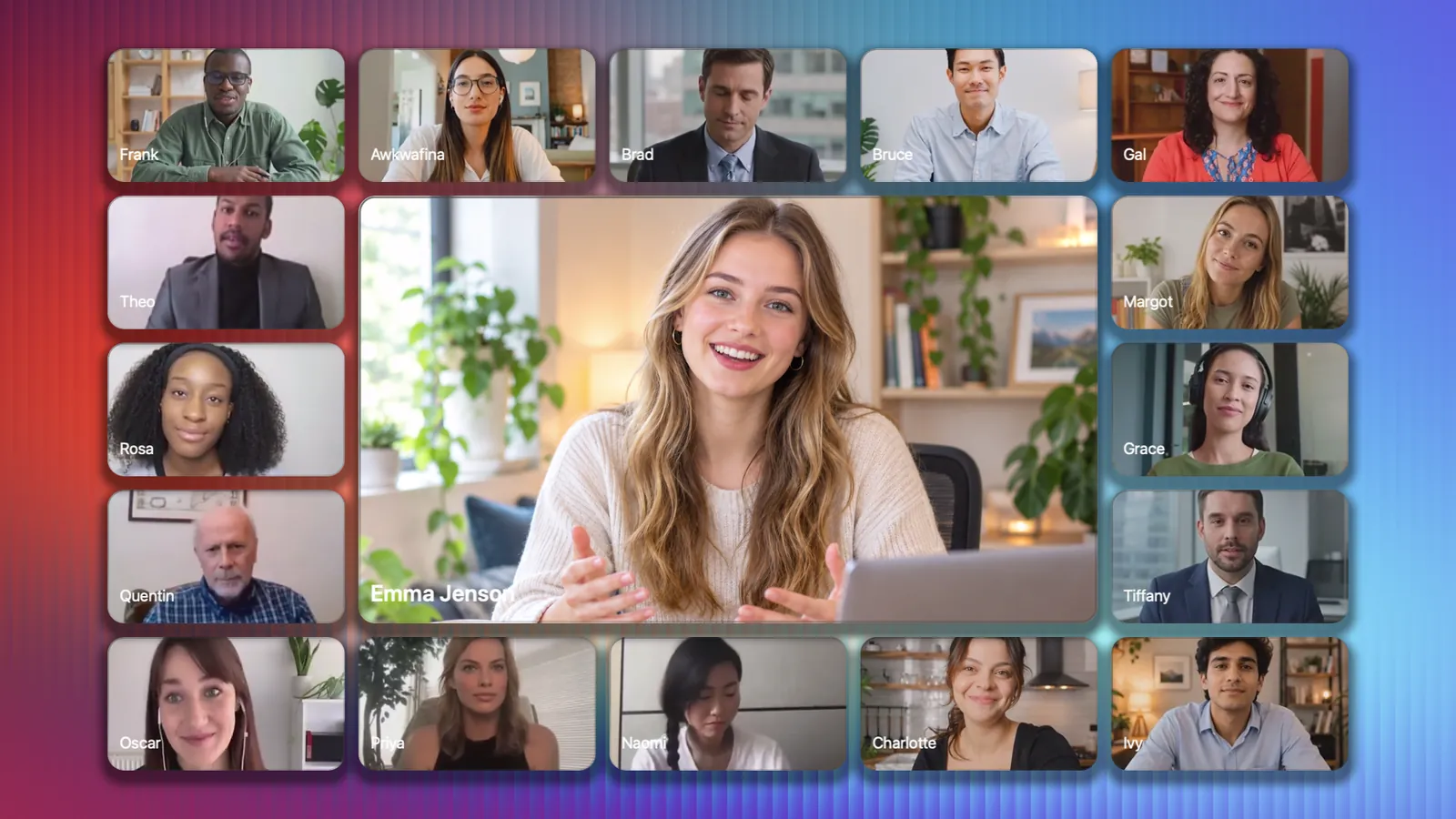
    Around scene
    Live Around
    04 The console

    Produce the show from one screen.

    No second laptop, no crew and nothing to learn mid-show. Everything is one click away, and what you see is exactly what the room sees.
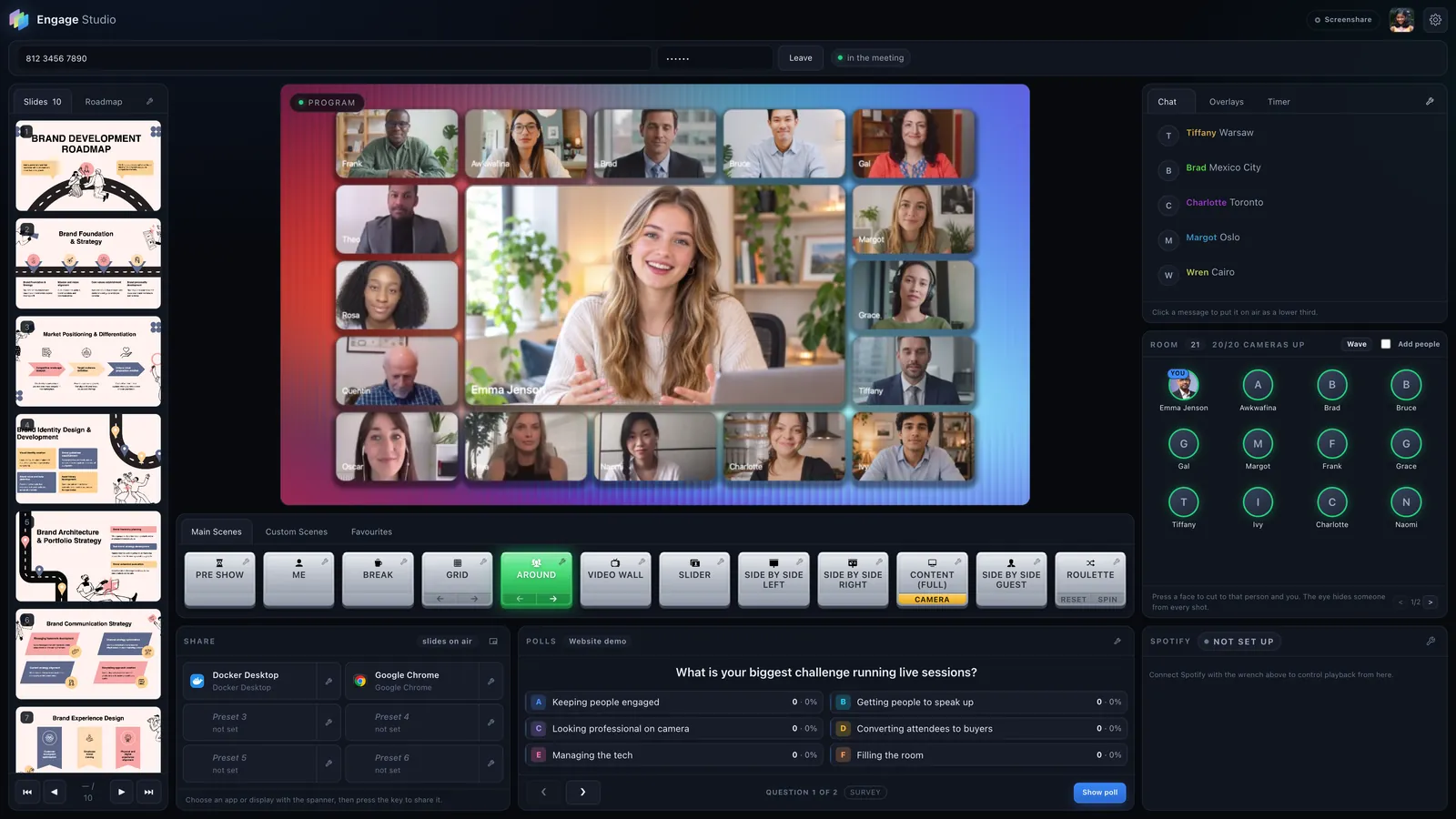
    The Engage Studio console: programme preview, scene buttons, slides, chat, the room and polls
    ProgramExactly what your meeting sees, live.
    Scenes24 scenes, 12 of them yours to design, each with its own backdrop, music and transition.
    SlidesYour deck, ready to step through without leaving the shot.
    Chat to airClick any message to put it on screen as a lower third.
    The roomEvery camera in the meeting. Press a face to bring that person on stage.
    PollsQuestions written before the show, put on air with one press.
    1. Program. Exactly what your meeting sees, live.
    2. Scenes. 24 scenes, 12 of them yours to design.
    3. Slides. Your deck, ready to step through without leaving the shot.
    4. Chat to air. Click any message to put it on screen.
    5. The room. Press a face to bring that person on stage.
    6. Polls. Written before the show, on air with one press.
    05 Make it yours

    Your brand, your music, your keys.

    Every show can look and sound like it came from your own studio, and switch to a different one for the next meeting.
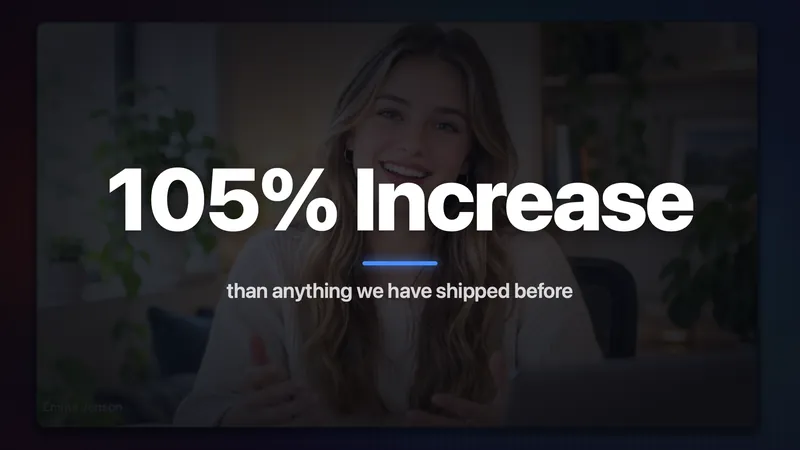
    A big-number statement overlay over the presenter
    Overlays

    Bring your own graphics.

    Video overlays with real transparency and any web page as a live graphic. Each one is placed per scene and animates in and out on its own beat.

    Profiles

    A look for every kind of meeting.

    • Weekly webinar
    • Client workshop
    • Team town hall
    • Product launch

    Logo, backdrops, scenes, overlays and name plates, saved together and swapped in one click.

    Colour

    Frames in your colours.

    A colour for each person, one brand colour for everyone, or no frame at all.

    Spotify

    Music that follows the show.

    Pre-show bedFades in over 3 s

    Give each scene its own playlist and fade. Play, pause, skip and fade your own Spotify from the console.

    Pro and Producer
    Screen share mode

    Sharper than a camera.

    Send the show as a screen share instead of a camera feed. Zoom encodes it for detail, so slides and small text stay crisp.

    Keyboard

    Run the show without the mouse.

    Step your slides, cut between scenes and start the wave from the keyboard. ⌘ on a Mac, Ctrl on Windows. Press ? in the console for the full list.

    ⌘.
    Next slide
    ⌘,
    Previous slide
    ⌘1–9
    Take a scene
    ⌘B
    Previous scene
    ⌘J
    Stadium wave
    06 How it works

    Live in three steps.

    Install

    Engage Studio runs on your Mac or Windows PC. Your look, scenes and polls are ready before the meeting starts.

    Join

    Paste your Zoom link. Engage Studio joins as a silent guest and receives every attendee's camera.

    Go live

    Pick the Engage Studio camera in Zoom. Your meeting now sees the show you produce, and your attendees install nothing.

    07 Pricing

    One studio. Three sizes.

    Prime

    For your first produced shows.

    $97per month
    • Every scene and 3D room
    • Polls, quizzes, globe, wheel and chat on air
    • Slides on stage
    • 30 days of show history
    • 1 saved look, 4 custom scenes
    Book a demo

    Pro Recommended

    For people who present every week.

    $147per month
    • Everything in Prime
    • Stream Deck and phone controller Q4
    • Remote assistant for chat and notes
    • Music cues and spreadsheet export
    • Running order you can rehearse Q4
    • 6 months of history, 10 looks, 12 custom scenes
    Book a demo

    Producer

    For teams running a real production.

    $297per month
    • Everything in Pro
    • Up to four cameras to cut between Q4
    • An assistant can run the show remotely Q4
    • Your own name on the join
    • Theme packs you can share
    • Show history kept for good, unlimited looks
    Book a demo
    08 Questions

    Asked before every demo.

    Do my attendees need to install anything?

    No. Engage Studio appears in Zoom as a camera. Your attendees see a produced show in the Zoom they already have, and they take part through the Zoom chat.

    Which meeting platforms does it work with?

    Zoom meetings and webinars, today. Engage Studio joins the session as a silent guest to receive the attendees' cameras, and your own Zoom sends the finished show. Microsoft Teams support is in development.

    What computer do I need?

    A Mac or a Windows PC. The show renders on your graphics chip at 1080p and 30 frames per second, with a full room of cameras.

    Can I use my own slides?

    Yes. Bring PowerPoint, Keynote or PDF. Your slides sit beside you on stage, full frame, or with you as a bubble in the corner, and you step through them from the console.

    How do attendees answer polls?

    In the Zoom chat, with a letter. Engage Studio counts each person once and draws the results on screen as they arrive.

    Can someone help me run the show?

    Yes. On Pro, an assistant can put chat on air and send you notes from any browser. The Q4 release adds Stream Deck and phone control, and on Producer your assistant can run the scenes too.

    Will it look like my brand?

    Every scene carries your own backdrop, logo, music and transition, and tile frames and name plates take your colours. Save the whole look as a profile, keep one for each kind of meeting, and switch between them in one click.

    Stop screen sharing. Start producing.

    See Engage Studio run a live show in a 30-minute call. Bring your next session and we will build its first scene together.

    30 minutes · Live in Zoom · No commitment
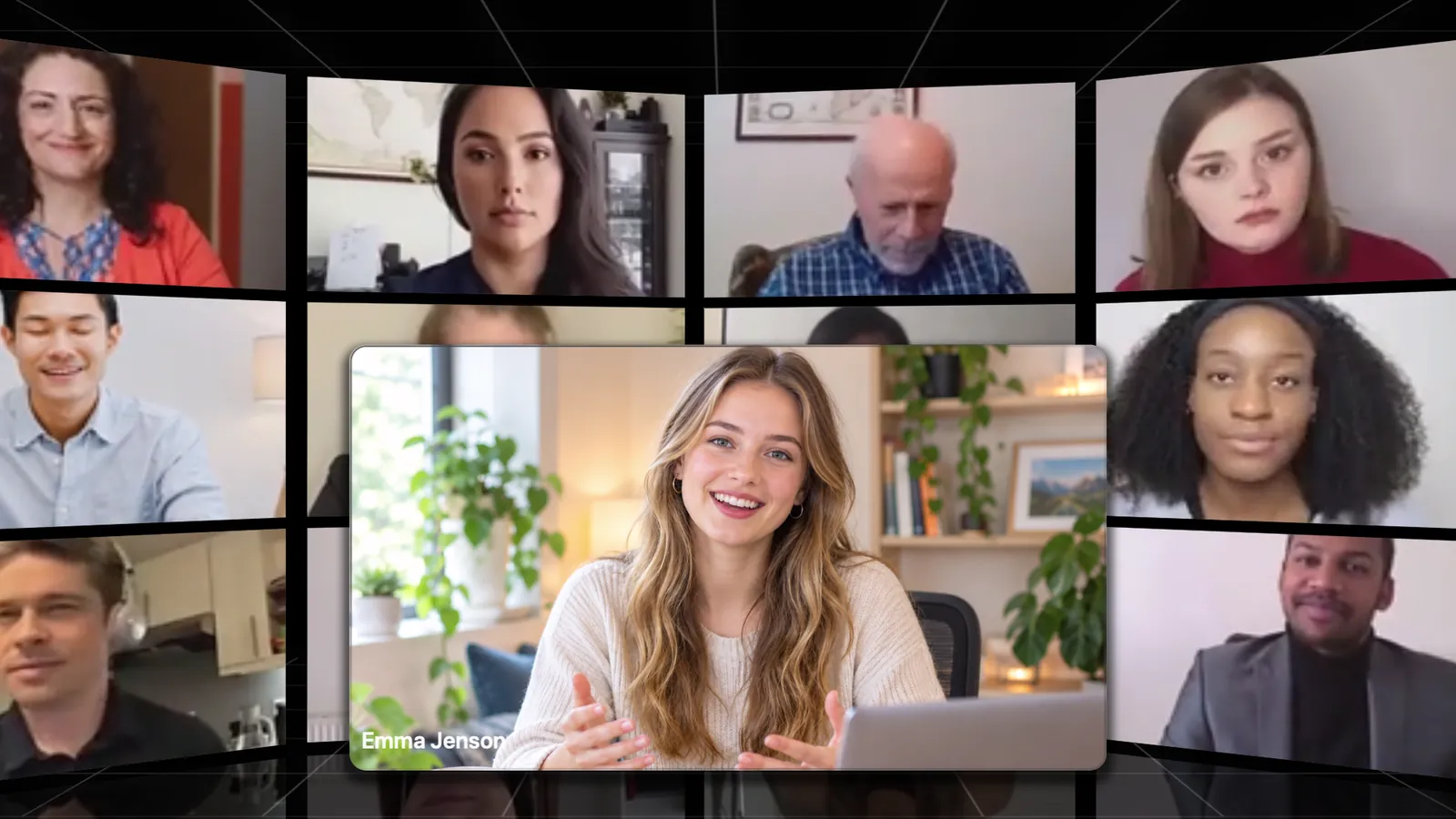
    The presenter in front of a curved video wall of attendees